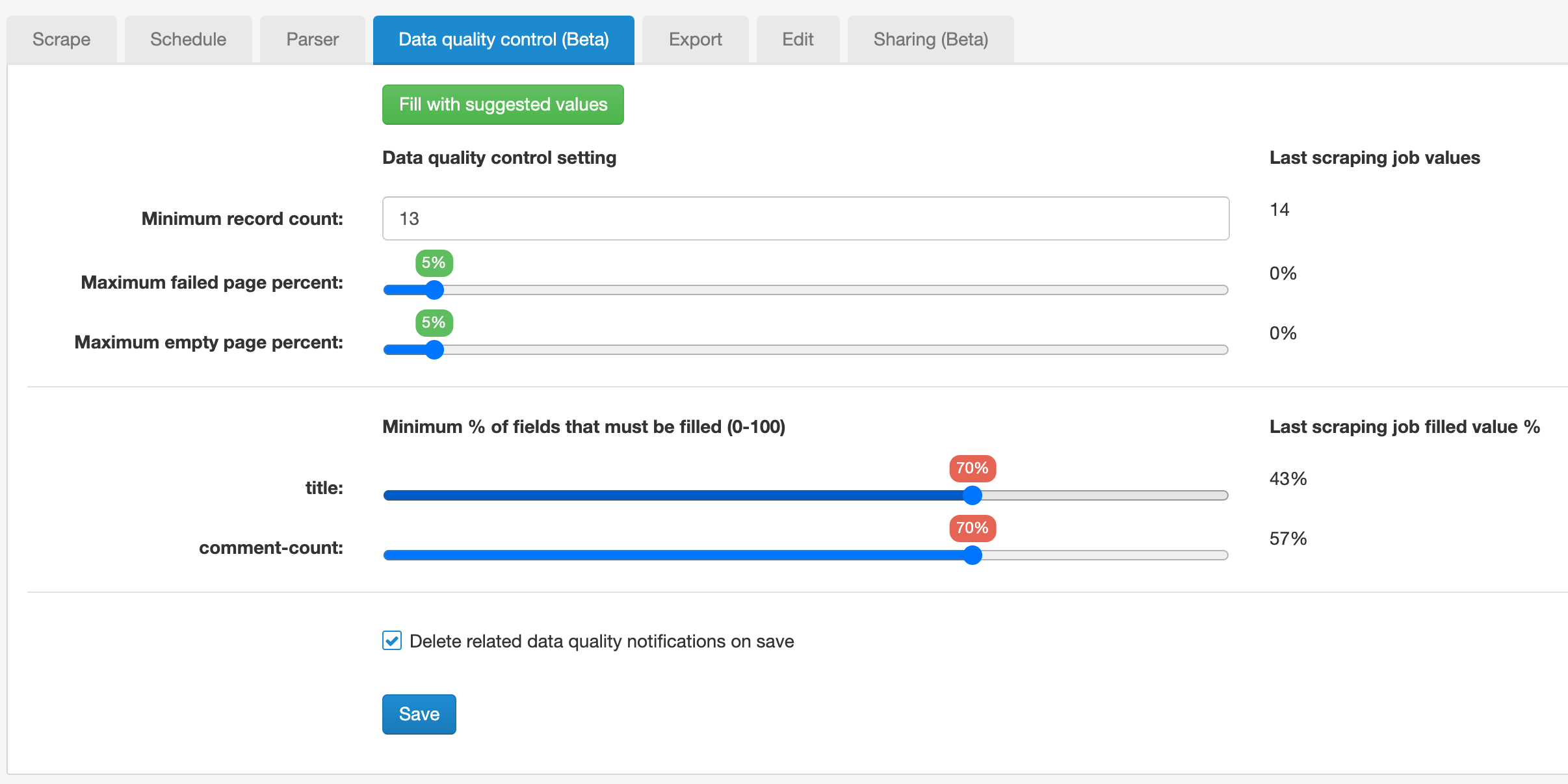
Data quality control
Available checks
| Check | Detects |
|---|---|
| Minimum record count | Jobs that return materially fewer records than expected. |
| Maximum failed page % | The maximum share of pages that failed to load or could not be accessed, including CAPTCHA pages, 403, 429, 5xx responses, access-denied pages, timeouts, and failed start-page requests. |
| Maximum empty page % | The maximum share of pages that returned a 404 response or from which no records were extracted. |
| Minimum % of fields that must be filled | Datasets where records exist but too many expected fields are empty. |
If any configured criterion is outside its threshold, Data quality control fails for that job.
Choose thresholds that match the sitemap
Different checks catch different problems. Record count can detect incomplete navigation, Failed page % can reveal access or execution problems, and field population can detect a selector that stopped matching even when record count remains normal.
Empty pages can also be intentional. For example, a mixed XML sitemap using an
Element Selector with the wrapper such as body:has(h1.product-title) will intentionally return
non-product URLs as Empty pages. Account for expected Empty pages and optional
fields when setting thresholds.
Fill with suggested values
If the sitemap has a finished scraping job, Fill with suggested values can populate the controls from the previous job. Treat these values as a starting point and allow for normal variation rather than copying one run as a strict baseline.
Where failures appear
Data quality status is visible in the sitemap's Data quality control tab and in the scraping jobs table. Enabled Email or Cloud notifications can also alert users when a job fails its configured thresholds.
A Data quality failure does not change a successfully completed scraping job into a failed scraping job.
Investigate a failed quality check
- Compare Records, Failed pages, Empty pages and No value pages with a previous successful run.
- Open linked Failed or Empty counts and inspect URLs, reasons and screenshots when available.
- Preview the returned records and identify missing or inconsistent fields.
- Check recent changes to selectors, Website State Setup, driver, proxy, Request interval or Page load delay.
Delete previous Data quality notifications
Enable Delete related data quality notifications on save when old notifications should be removed after correcting the sitemap or changing its thresholds.
Related